Logging into the CBM
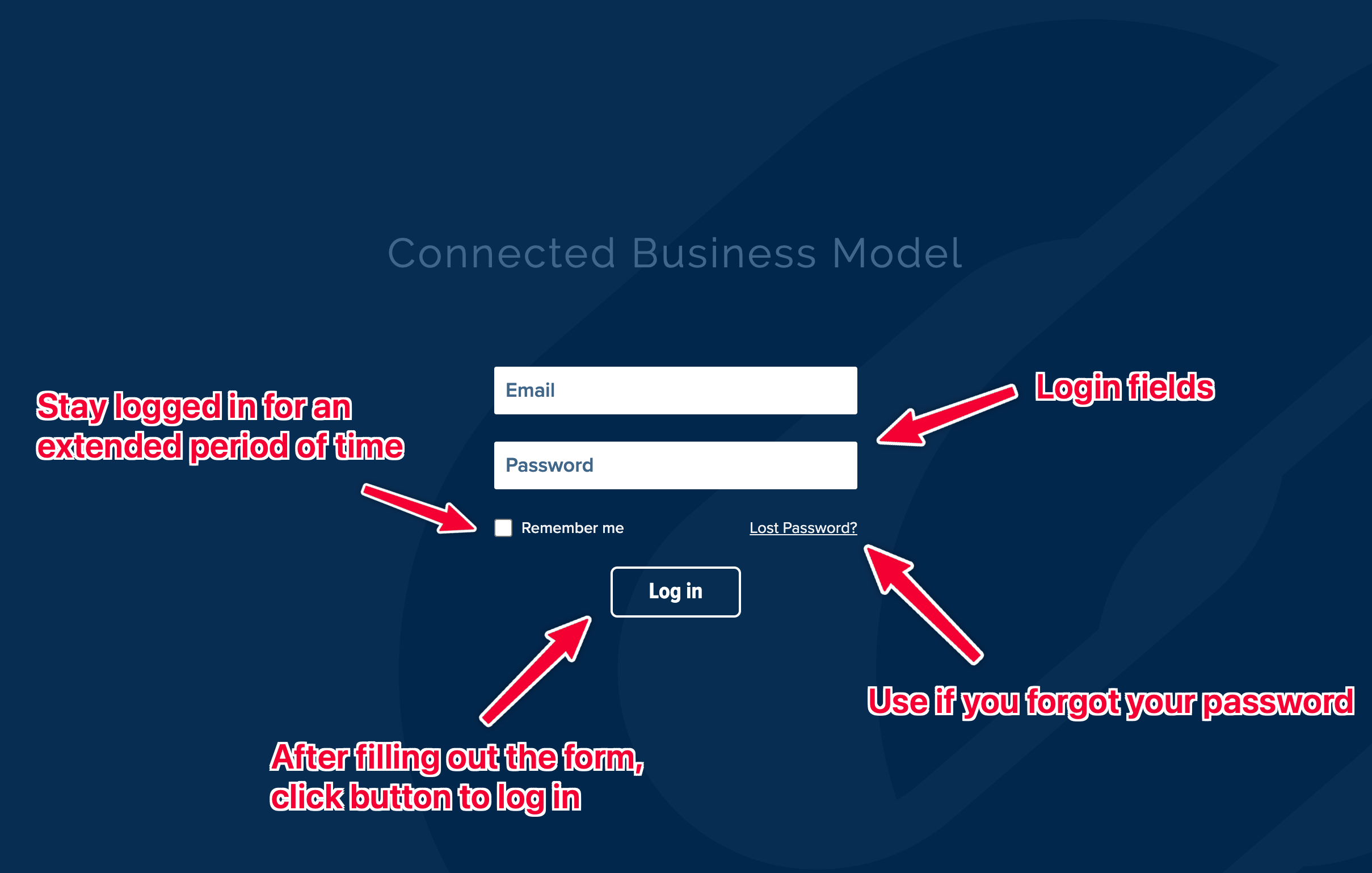
- Visit https://cbm.linkedxl.com/login
- Type in your username and password
- Optionally check "Remember Me" to have your session extended beyond the normal duration
- Select "Log In"
Navigating the CBM - Master Flow Map
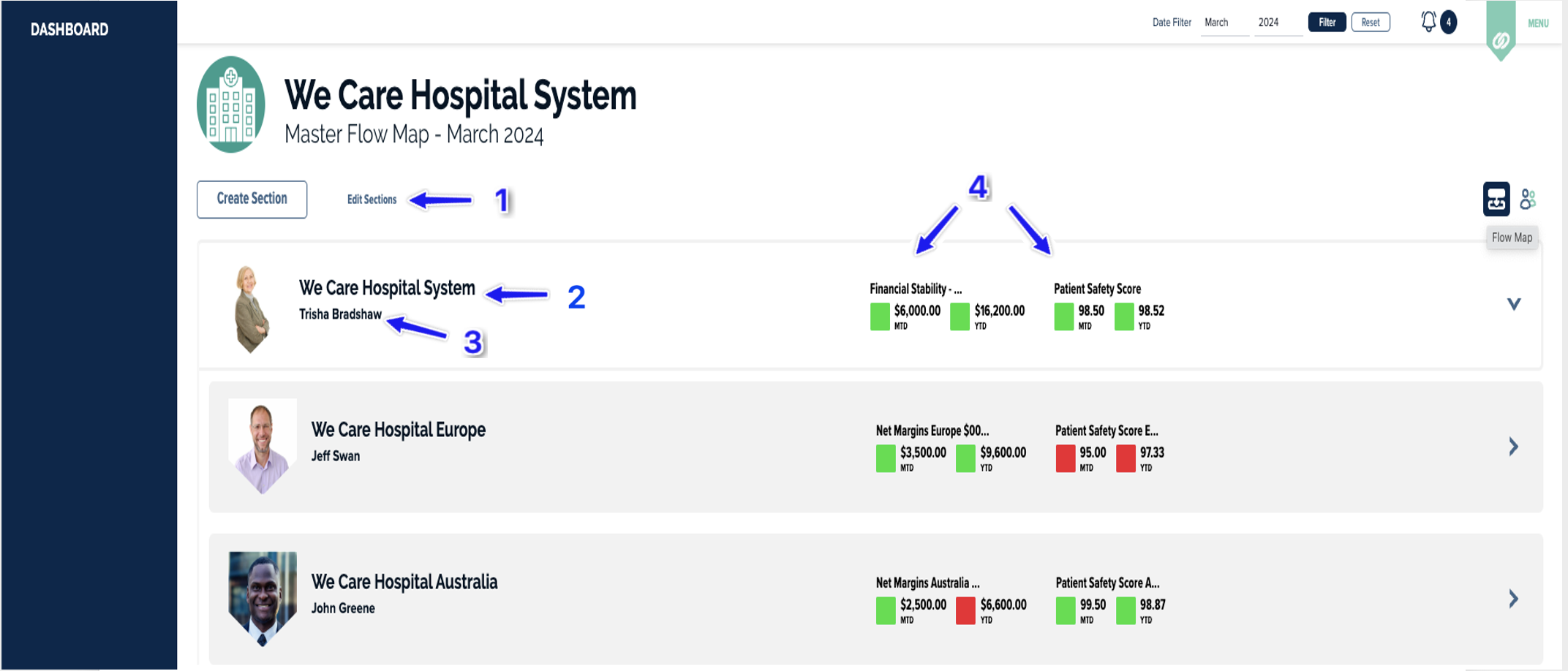
When you first log into the CBM you will be on the Master Flow Map page. This page lists all of the sections in your organization in a collapsable tree view. You can click on the name of any section to enter further into the application.
- Create/Edit section buttons, visible if you have high enough user permissions
- Section title
- Section owner
- Health Overview of Section CPIs
Navigating the CBM - Sidebar
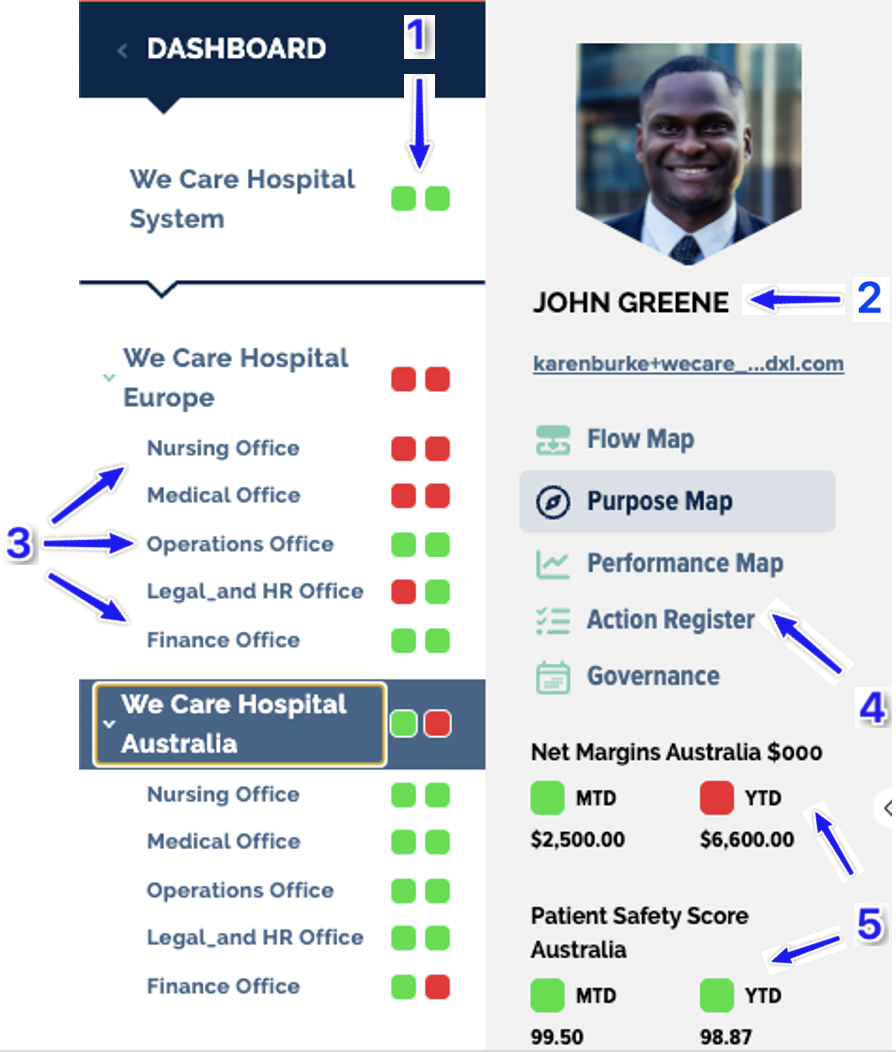
Once you have gone into a section you will find two collapsable sidebars on the left. The furthest left sidebar is a mini flow map that shows the sections of the website and their Overall Health statuses. The sidebar to the right of this shows the user in charge of the current section, their contact information, links to the four main views of the section, and their CPI status summaries.
- Section Overall Health
- Section owner information
- Section titles
- Section sub-navigation
- Section CPIs and health statuses
Was this article helpful?
That’s Great!
Thank you for your feedback
Sorry! We couldn't be helpful
Thank you for your feedback
Feedback sent
We appreciate your effort and will try to fix the article