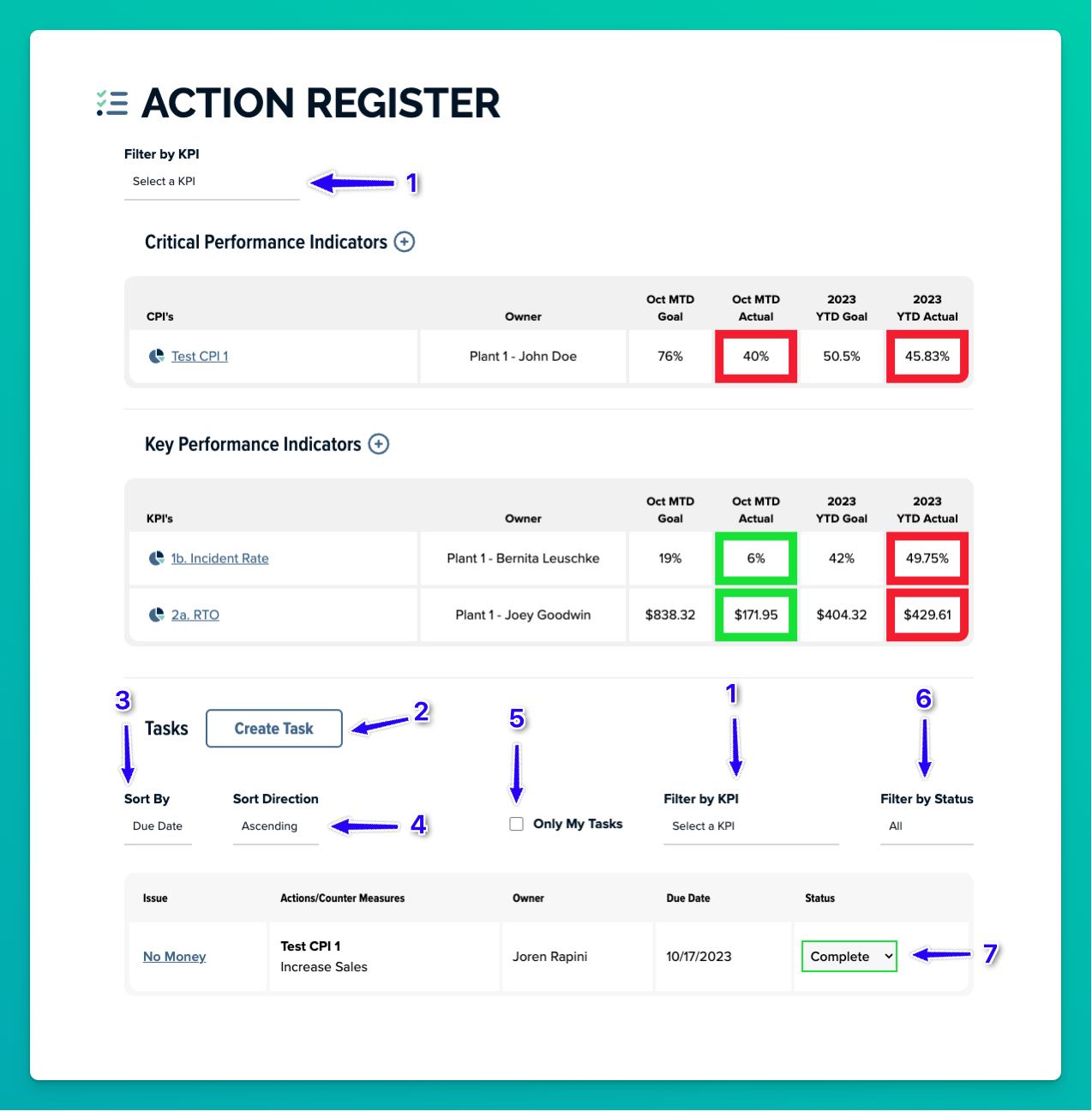
1. Filter both the KPI/CPI list and the task list by KPI/CPI.
2. Create a new task.
3. Sort the task list.
4. Sort direction for the task list.
5. Show only tasks assigned to you.
6. Filter tasks by status.
7. Drop down to instantly change the tasks status without opening the task popup.
Was this article helpful?
That’s Great!
Thank you for your feedback
Sorry! We couldn't be helpful
Thank you for your feedback
Feedback sent
We appreciate your effort and will try to fix the article